filed in
Best Accounting Software for a Business With No Employees (2026 Guide)
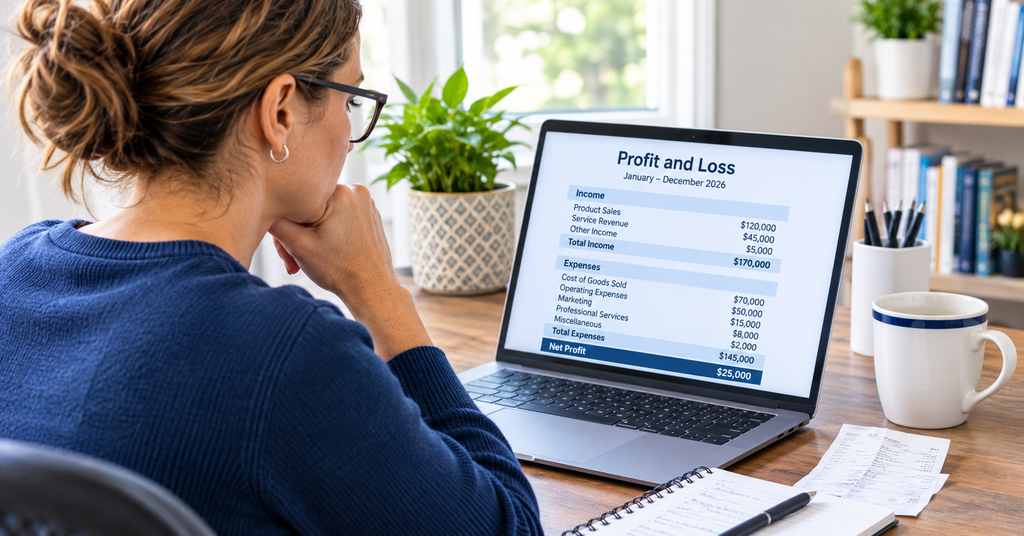
The best accounting software for a business with no employees is QuickBooks for most U.S. owners: QuickBooks Solopreneur if you file Schedule C and keep things simple, and QuickBooks Online Simple Start if you want your accountant working directly in your books. Zoho Books Free, Wave, FreshBooks, and Xero fit narrower situations.
At Blaize Accounting Services in Bergen County, New Jersey, we set up and clean up books for one-person businesses every week. This guide compares the real prices, limits, and tax features as of November 2026, so you can pick once and avoid migrating in the middle of tax season.
What does a one-person business actually need from accounting software?
A business with no employees needs five things from accounting software: automatic bank feeds, tax-ready categories, simple invoicing, receipt capture, and an easy way to share everything with your accountant. Anything beyond that is optional until you grow.
| Definition: Accounting software for a business with no employees is a cloud app that connects to your business bank and card accounts, sorts income and expenses into tax categories, sends invoices, and produces profit and loss reports, without the payroll, inventory, and multi-user tools larger companies need. |
- Bank and card feeds: transactions flow in automatically, so you categorize instead of typing.
- Tax-ready categories: sole proprietors and single-member LLCs report on IRS Schedule C, so your categories should map to its expense lines.
- Invoicing and payment links: getting paid faster matters more than fancy templates.
- Receipt capture: a photo attached to each transaction supports your deduction if you are ever asked to prove it.
- Contractor tracking: if you pay freelancers, you need their W-9 and a running total of what you paid them.
- Accountant access: the ability to invite your accountant saves hours of emailing spreadsheets.
What you can skip for now: payroll, inventory tracking, multi-currency, and project budgeting. Paying for those features while you work alone is the most common way owners overspend on software.
How do the best accounting software options compare on price and limits?
For a business with no employees, list prices run from free to about $38 a month, and the usage limits matter more than the sticker price. The table below shows the entry plan that fits a solo owner for each product.
| Software | Entry price (monthly) | Best for | Watch out for |
|---|---|---|---|
| QuickBooks Solopreneur | Free, or Lite at $20 (promo pricing often applies for the first 3 months) | Schedule C filers who want mileage, receipts, and quarterly tax estimates | Free plan caps invoices, receipts, and mileage trips; no accountant access |
| QuickBooks Online Simple Start | $38 | Owners who want their accountant inside the books and room to grow | Highest entry price of the group; one user plus accountant seats |
| Xero Early | $27 (rose from $25 on Oct. 1, 2026) | Light invoice volume, or when your accountant already uses Xero | Caps at 20 invoices and 5 bills per month |
| FreshBooks Lite | $23 | Service businesses that bill a handful of clients | Lite is limited to 5 billable clients |
| Wave Starter | Free (Pro plan at $19) | Very simple books on a tight budget | Some features moved to the paid plan in 2026 |
| Zoho Books Free | Free while revenue stays at or under $50,000 a year | New businesses with low revenue | Bank feeds start on the paid Standard plan |
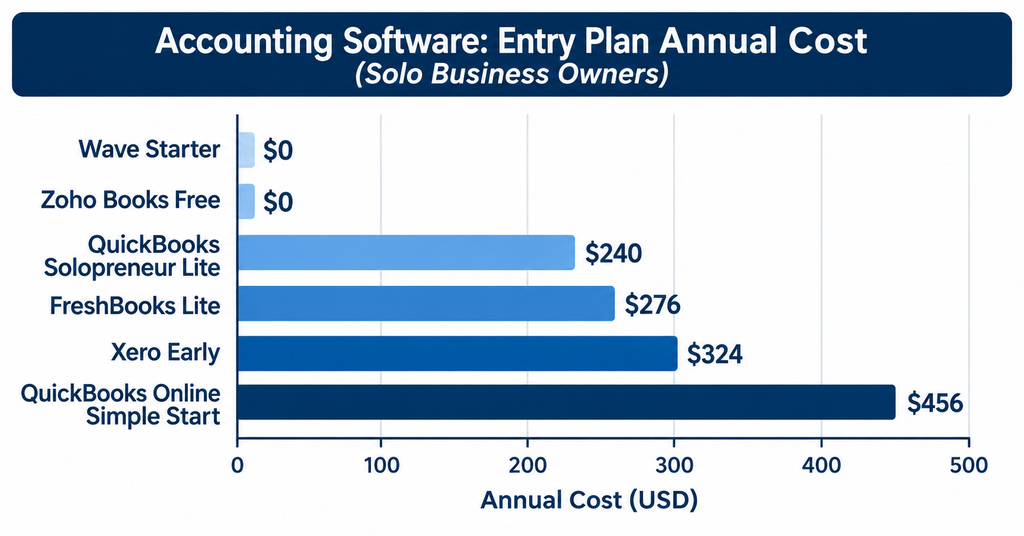
These are U.S. list prices as of November 2026. Vendors change prices and promotions often, so confirm on each vendor’s site before you subscribe, and budget for annual increases.
Is QuickBooks the best choice for a business with no employees?
QuickBooks is the best all-around choice for most owners with no employees because it is the platform most accountants already work in, and Intuit offers a cheaper solo product plus a full online version you can grow into.
QuickBooks Solopreneur: the lowest-cost fit for a Schedule C filer
QuickBooks Solopreneur is built for people who report business income on Schedule C, including sole proprietors and single-member LLCs. It sorts expenses into Schedule C-aligned categories, tracks mileage by GPS, captures receipts, and estimates your federal quarterly taxes.
The free plan is tight: about two invoices, two receipts, and five mileage trips a month, with one bank account connected. The Lite plan lists at $20 a month and removes those caps. Neither plan includes accountant access, which is the main reason many of our clients outgrow it.
QuickBooks Online Simple Start: best when your accountant works in your books
QuickBooks Online Simple Start costs $38 a month and includes one user plus two accountant seats. You get a customizable chart of accounts, fuller reports, and a clear upgrade path if you later hire help or add inventory.
Most solo owners we onboard start with a personal checking account doubling as the business account. Moving them into QuickBooks Online with a dedicated business account is usually the first cleanup we do. If you want help, our QuickBooks Online setup and cleanup service covers exactly that.
When does Xero make sense for a solo business?
Xero makes sense for a business with no employees when your volume is low, and your accountant already prefers it. Its Early plan lists at $27 a month after an October 1, 2026 increase, with unlimited users but a cap of 20 invoices and 5 bills each month.
That cap counts invoices created by connected apps too, so a busy month can stop you cold. The next tier, Growing, lists at $59 a month, which is well above QuickBooks Online Simple Start. If you expect more than 20 invoices a month, price the jump before you commit.
Is FreshBooks worth it if you mostly send invoices?
FreshBooks is worth considering if invoicing and client billing are the heart of your business and you work with only a few clients. Its Lite plan lists at $23 a month and covers up to 5 billable clients, while Plus lists at $43 for up to 50.
The invoicing, estimates, and proposal flow is polished, which freelancers and consultants like. The trade-off is that it is lighter on accounting depth, and you should confirm which plan includes accountant access before you pay. [VERIFY: confirm FreshBooks Lite price and client cap on freshbooks.com/pricing]
Are Wave and Zoho Books Free good enough for a solo owner?
Wave and Zoho Books Free can be good enough for a brand-new solo business with simple books, but both come with limits that tend to show up the first time you need real reports or bank feeds.
- Zoho Books Free: free while annual revenue stays at or under $50,000, with up to 1,000 invoices a year and one user plus one accountant. Bank feeds start on the Standard plan, which lists at $15 a month billed annually or $20 billed monthly.
- Wave: the Starter plan is free for invoicing and basic bookkeeping, and Pro lists at $19 a month. Wave reportedly moved automatic bank feeds and collaborator access behind its paid plan on June 1, 2026. [VERIFY: confirm Wave’s current free-plan limits on waveapps.com/pricing]
Free software still costs time. Typing every transaction by hand adds hours each month, and a move to a paid tool later means migrating a year of history under deadline pressure.
Does an S corporation or LLC with no employees need different software?
An S corporation owner who works in the business is legally an employee of the corporation, so having no employees often still means you need payroll. The IRS expects reasonable compensation for S corporation officers to run through payroll, not just distributions.
- Sole proprietor or single-member LLC taxed as a sole proprietor: QuickBooks Solopreneur or Simple Start both work, because you file Schedule C.
- S corporation or multi-member LLC: choose QuickBooks Online Simple Start or Xero, since Solopreneur is designed for Schedule C filers only.
- Any entity paying yourself a salary: plan for a payroll add-on, or work with a firm that handles payroll compliance for you.
If you are weighing an entity change, talk to a professional before you switch software, because the right setup depends on how the business is taxed.
How do 1099 contractors and estimated taxes affect your choice?
If you pay independent contractors, your software should track payments and store each W-9, because the IRS reporting threshold for Form 1099-NEC rose from $600 to $2,000 for payments made in 2026. The $600 threshold still applied to 2025 payments, and the 2026 forms are due January 31, 2027.
Estimated taxes matter just as much for a solo owner. With no employer withholding, the IRS estimated tax rules generally expect quarterly payments on April 15, June 15, September 15, and January 15, and self-employment tax adds 15.3% on top of income tax.
Tools like QuickBooks Solopreneur estimate federal payments only. New Jersey estimated payments need to be tracked separately through the New Jersey Division of Taxation.
How do you choose the right software in ten minutes?
Match the software to your situation, not to the lowest price. Use the list below to land on a starting point, then confirm current pricing on the vendor’s site.
- Just starting, Schedule C, under $50,000 in revenue: QuickBooks Solopreneur Free or Zoho Books Free.
- Schedule C, want mileage, receipts, and quarterly estimates: QuickBooks Solopreneur Lite.
- Want your accountant in the books, pay contractors, or plan to grow: QuickBooks Online Simple Start.
- Invoice a few clients and want polished billing: FreshBooks Lite.
- S corporation, partnership, or your accountant already uses it: QuickBooks Online Simple Start or Xero Early.
When two options tie, choose the one your accountant can access directly. Shared access is what turns software from a filing cabinet into a monthly review habit.
What mistakes do solo owners make with accounting software?
The most expensive mistake is mixing personal and business transactions in one account, because it forces a manual cleanup before you can trust any report.
Here is a composite scenario based on patterns we see. A freelance designer in Passaic County picks a free tool, connects her personal credit card along with her business account, and skips receipts all year. At tax time, hours go to sorting eleven months of mixed transactions, and deductions go unclaimed because nothing supports them.
- Mixing personal and business spending in the same account or card.
- Skipping receipts and mileage logs until the end of the year.
- Never reconciling the software to the bank statement.
- Choosing on price alone and outgrowing the plan within a year.
- Waiting until March to give your accountant access.
How should you set up your accounting software in the first week?
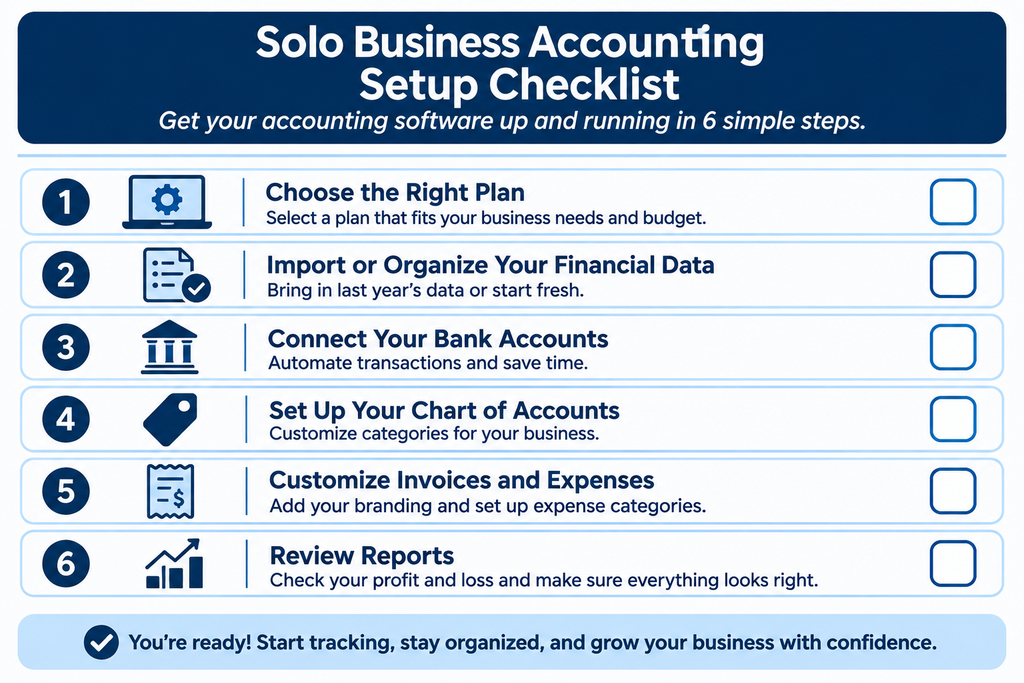
A clean first-week setup takes about two hours and prevents most year-end cleanup. Follow these steps in order.
- Open a dedicated business checking account and, if you use one, a business credit card.
- Connect only business accounts to the software, never personal ones.
- Review the automatic categories and fix the ten vendors you use most.
- Turn on receipt capture and mileage tracking in the mobile app.
- Put the four estimated tax dates on your calendar: April 15, June 15, September 15, and January 15.
- Invite your accountant and schedule a short monthly review.
| Free resource: Not sure your books are ready for tax season? Download our free checklist, Are Your Books Tax Ready?, and see what to fix before your accountant asks. |
| Next step: Not sure which platform fits your business? Book a consultation, and we will point you to the right setup before you commit. |
Frequently asked questions
What is the best accounting software for a sole proprietor with no employees?
For most U.S. sole proprietors, QuickBooks Solopreneur is the best low-cost fit because it uses Schedule C categories and estimates federal quarterly taxes. If you want your accountant working in your books, QuickBooks Online Simple Start at $38 a month is the better choice.
Can I use free accounting software for my business?
Yes, if your books are simple. Zoho Books Free works while revenue stays at or under $50,000 a year, and Wave has a free Starter plan. Expect limits on bank feeds, invoices, or collaborators, and plan to upgrade as you grow.
Do I need accounting software if I have no employees?
Yes. Even without employees, you still need to track income and expenses, support your deductions, pay quarterly estimated taxes, and prepare for tax filing. Software keeps the records organized so nothing is missed at year-end.
Is QuickBooks Solopreneur the same as QuickBooks Online?
No. QuickBooks Solopreneur is a simplified product for Schedule C filers with preset categories, while QuickBooks Online has a fully customizable chart of accounts and accountant access. Solopreneur is not part of the standard QuickBooks Online plan ladder.
What happens to my software if I form an LLC or S corporation later?
You may need to switch. QuickBooks Solopreneur is built for Schedule C filers, so an S corporation or multi-member LLC usually needs QuickBooks Online or Xero, plus payroll for any owner who works in the business. Talk to a professional before changing entities.
Do I need a separate business bank account?
It is strongly recommended. A dedicated business account keeps personal and business spending apart, makes bank feeds accurate, and protects the liability separation of an LLC or corporation. Never connect personal accounts to your business books.
How much should a business with no employees spend on accounting software?
Expect between $0 and about $460 a year. Free plans cost nothing, QuickBooks Solopreneur Lite lists at $240 a year, and QuickBooks Online Simple Start lists at $456 a year. Choose based on limits and accountant access, not price alone.
| Work with Blaize Accounting Services: Blaize Accounting Services helps small business owners and high-net-worth individuals across Bergen, Passaic, Essex, Morris, and Hudson counties keep clean books and plan ahead for taxes. Schedule a call, and we will set up your software the right way from day one. |
ABOUT THE AUTHOR
Tania Blaize, EA, is the founder of Blaize Accounting Services in Bergen County, New Jersey. She is an IRS Enrolled Agent and QuickBooks ProAdvisor with more than 20 years of experience, and she serves small business owners and high-net-worth individuals across Northern New Jersey with bookkeeping, tax planning, and advisory.
